Why did my ChatGPT, Claude, Gemini or Grok chats disappear?
Usually the chat is still there, under another account, in an archive, in a workspace you left or in a list that hasn't loaded. Sometimes it really is gone: you deleted it, a setting or a retention period deleted it, or it was never saved. Hubort can't bring back a chat that was already gone before you installed it. It keeps a copy only from the day it is installed, so a chat lost before then stays lost. This page says where to look first on each service, what each service's own help centre says, and how to keep your own copy from now on.
Each service's help pages were read on 11 November 2026, and the quotes are from them.
Why did my ChatGPT chats disappear?
Check the places a chat can hide before assuming it is deleted. OpenAI's help page, Deleting and archiving chats in ChatGPT, lists them in order:
- The wrong account or workspace. Confirm you are signed in to the right OpenAI account and workspace, including the right email address or single sign-on method.
- A locked chat. If you locked it, open Projects, then Locked chats, and use your PIN or device authentication.
- Search. Use ChatGPT's search for a word you remember from it.
- The archive. Settings, Data controls, Archived chats. The section below says more.
- A page that needs a refresh, or an outage. Refresh, or sign out and in, and check OpenAI's status page.
If the chat was deleted, the same page says what happens:
“OpenAI schedules it for permanent deletion from its systems within 30 days”
The page also says a deleted chat can't be brought back, by you or by OpenAI Support, and that a conversation ChatGPT ends over a serious safety concern is no longer in your visible history.
Why did my Claude chats disappear?
Anthropic's help page, Delete or rename a conversation, says what deleting does:
“it's removed from your conversation history immediately and deleted from our back-end systems within 30 days.”
Three other things can account for a missing chat, none of them a deletion by you:
- An incognito chat. Anthropic's help page on incognito chats says they aren't saved to your history, so there is nothing to find later.
- An Enterprise retention period. Anthropic's page for Enterprise owners says data is kept indefinitely by default, unless an owner sets a period of 30 days or more. Standalone chats are deleted once the period passes, and opening a chat counts as activity.
- Another Claude account. If you have a personal and a work account, the chat is in whichever one you used.
The sidebar and the full list, "Chats and tasks", are the places to look. Anthropic's help centre describes archiving a project, but on 11 November 2026 we found no page about archiving a chat.
Why did my Gemini chats disappear?
Gemini keeps chats in a Google account's Gemini Apps Activity, so most missing chats come down to which account you are in and what its Activity settings are. Google's pages describe four causes:
- A different Google account. The help page says you need to sign in to Gemini Apps to find and manage your chats, so the chat is in the account it was made in.
-
Auto-delete. Google's Privacy Hub says activity is auto-deleted after 18 months by default:
“You can change this to 3 or 36 months, or choose not to auto-delete.”
-
Keep Activity turned off. Google says:
The same page says chats are still saved for 72 hours so Gemini can respond.“Your future chats won't appear in your Activity.”
-
A work or school account. Google's page for those accounts says:
“Your admin can change the auto-delete setting to delete activity after 3, 18, or 36 months or turn history off altogether.”
A chat you delete leaves Activity too: Google says deleting it from your pinned and recent chats also deletes it from Gemini Apps Activity. Its chat pages list pin, rename, delete and branch, and we found no archive on them. More on Gemini and several Google accounts.
Why did my Grok chats disappear?
Grok's help is thinner than the other three. The page that answers it is the consumer FAQ at x.ai, headed May 12, 2025 and signed SpaceXSI, which is what Grok's maker now calls itself there. It names two ways a chat leaves your history:
“When using Private Chat, your conversation history will not be viewable to you and will be deleted from SpaceXSI systems within 30 days.”
The second is deleting it yourself, from the conversation history page on grok.com or the Grok app. The FAQ says deleted data takes up to 30 days to leave its systems. Grok on X is covered by X's help centre, not this page. The FAQ says nothing about archives or about what happens to your history if you cancel a subscription. More on Grok and several accounts.
Where are my archived ChatGPT chats?
In Settings, Data controls, then Archived chats (or View archived chats, depending on the device). OpenAI's page says what archiving does:
“Archiving removes the chat from the regular sidebar but does not delete it. Archived chats remain searchable.”
From that list you can Unarchive a chat, which returns it to your regular history, or Delete it. The page warns that Archive all chats and Delete all chats act on the current account or workspace, projects included, and that Delete all chats can't be undone. Hubort reads the archived list as well as the main one, so a chat you archived in ChatGPT is in Hubort's search too.
Will I lose my chats if I cancel ChatGPT Plus?
OpenAI's pages don't say so. Its cancellation article, Canceling your ChatGPT subscription, says what cancelling does:
“After an ordinary cancellation, paid features remain available until the end of the current billing period.”
It says nothing about removing chats, and the chat page says regular and archived chats remain saved to your account until you delete them or an applicable workspace retention policy removes them. That last part matters for a ChatGPT Business subscription: the chats there sit in a workspace, and the help page's first check for a missing chat is that you are in the right workspace. If you cancel, look for a chat in the account you cancelled, and keep your own copy first if the chats matter (Hubort can export every chat as Markdown). The same cancellation page says deleting your ChatGPT account cancels a subscription billed by ChatGPT, and deleting an account is a different step from cancelling.
What about cancelling Claude, Gemini or Grok?
- Claude. Anthropic's page, Cancel your Pro, Max, or Ultra subscription, says the cancellation takes effect at the end of your current billing period and you can keep using the paid plan until then. It says nothing about chats or projects, and we found no page about moving to the free plan.
- Gemini. Google's page on managing a Google AI plan lists what you lose when an AI Pro plan ends, and one item is continuing chats created with Pro. It doesn't say those chats are deleted.
- Grok. The consumer FAQ says nothing about cancelling a subscription and your history. It does say you can keep your data on your account for as long as you wish and delete it when you want.
None of the four says cancelling deletes your chats, and none promises that it won't. If a plan change matters to your history, the safe step is a copy of your own before you change it.
Can Hubort bring back a chat that is already gone?
No, and it is better to know before you install it. Hubort keeps a copy only from the day it is installed. A chat that is still in your account when you install it is read and kept. A chat you deleted, or one a retention period removed, before that day was never read, so there is no copy to find. An export of your data from the service itself is the only other place it might be, and OpenAI's help page lists requesting one as a step for a missing chat.
What does Hubort keep once it's installed?
Hubort is two installs: an app for Windows and Mac, where your chats live and where you search them, and an extension for each browser profile you use AI in. The extension reads your chats from ChatGPT, Claude, Gemini and Grok with the sessions you are already signed in with, and hands them to the app, which keeps them in a database on your own computer. Nothing goes to a server of ours, because there isn't one.
The part that answers this page's question: when a chat Hubort has already read is deleted on its service, Hubort keeps its copy by default. The copy moves to a page called Deleted on service, and it stays in search. A switch in Settings, Keep chats deleted on their service, turns that off, and a kept chat goes only when you delete it there yourself, which asks first, or when you remove that account from Hubort. Hubort only reads: it never sends, renames, archives or deletes anything in ChatGPT, Claude, Gemini or Grok.
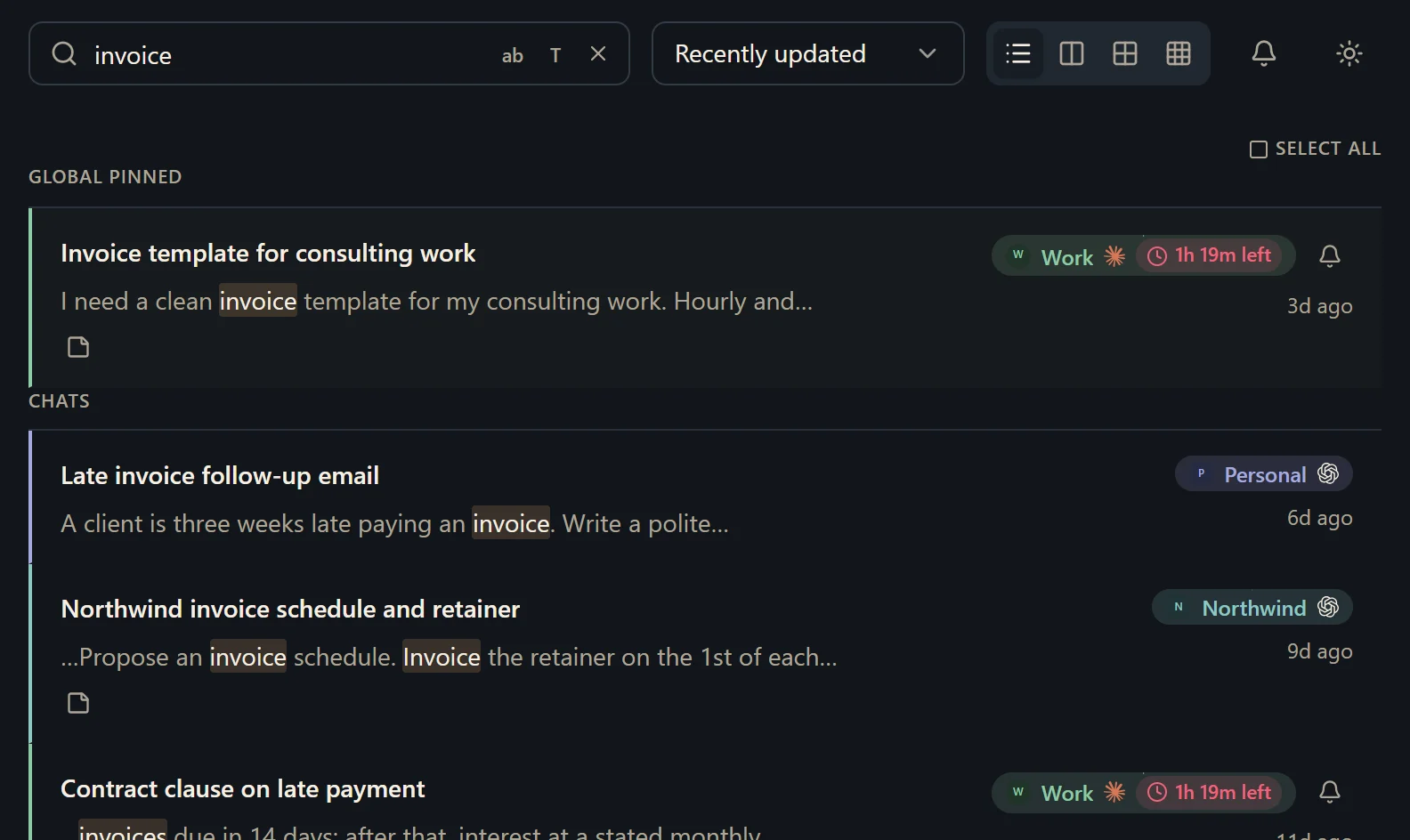
A chat written and deleted between two looks was never read, so nothing is kept of it. The extension looks on a schedule, and an optional setting reads a chat when a reply finishes. The setup guide has the steps.
What should I know before I try it?
It runs on Windows 10 and 11, and on a Mac with macOS 11 or later. It is free for two sources. A source is one account on one provider, however many browsers it syncs from. So each account is one source. Every install also starts with 14 days of everything, with no card. More accounts start at $4.99 a month, and the pricing page has yearly and buy-once prices.
Two things you should hear from us. The installer is not code-signed yet, so your browser and Windows or macOS will each warn you about it, and the download page says exactly what you will see. And Hubort reads each service's web app on a schedule, which may be inconsistent with that service's terms; the privacy policy has the full note, and you can lengthen the interval or untick a service at any time. Is Hubort safe? lists what the extension and the app can reach, each with a way to check it yourself.
How do I try it?
Install the app, then add the extension to each browser you use AI in. The setup guide walks through every step, and the download page has both.
The same question for one service at a time: ChatGPT, Claude, Gemini and Grok.