Can you search across two ChatGPT or Claude accounts?
Not with anything ChatGPT or Claude ship. Each account searches only its own chats, and OpenAI and Anthropic say so in their own help pages, quoted below. Hubort is a Windows app that reads the chats of every account you're signed in to, in every browser profile, into one place on your own computer, and searches all of them at once. Every result shows which account it came from.
The vendors' pages were read on 30 September 2026.
Can I search across two ChatGPT accounts?
No. ChatGPT can keep two accounts signed in at once, but each one is searched, and shown, on its own. OpenAI's help page, Use multiple accounts with account switching, says it plainly:
“Switching is not merging. Switching does not:
- Move chats between accounts
- Share memory or conversation history
- Share files or uploads
- Combine billing or subscriptions
- Merge workspaces”
The same page says that when you switch, “all chats, memory, files and settings will reflect the selected account”, that you can keep at most two accounts active in the switcher, and that it works on ChatGPT on the web and not yet in the mobile apps. So the chat you want is in one of two accounts, and you find out which by opening each. More on ChatGPT and several accounts.
Can I search across two Claude accounts?
No. Claude's chat search belongs to paid plans, and what it searches is set by Anthropic's help page, Use Claude's chat search and memory:
“Searching past chats is available to users on paid plans (Pro, Max, Team, and Enterprise plans) on the web, Claude Desktop, and Claude Mobile apps.”
“You can prompt Claude to search conversations within these boundaries: All chats outside of projects. Individual project conversations (searches are limited to within each specific project).”
The page describes no search over a second account, and it describes the search as something you ask Claude to do inside a chat, not a search box. Someone with a free Claude account and a paid one has that search on one of them only, and a Team seat at work and a Pro account at home are two separate searches you run by hand. More on Claude and several accounts.
Can I search across two Gemini accounts?
No. gemini.google.com shows the chats of one Google account at a time, and it addresses them
by position: the first account you signed in to is /u/0 in the address, the
second /u/1, and the positions move when anyone signs in or out. That is what
Hubort found reading it, not a sentence from Google's help pages. If Gemini Apps Activity is
off for an account, Gemini keeps no history for it at all, so there is nothing to search.
More on Gemini and several Google accounts.
Can I search across two Grok accounts?
No. grok.com keeps the history of the account you are signed in to, and Grok on x.com keeps a separate history that Hubort does not read. A second account is another sign-in, and another list. More on Grok and several accounts.
What do people try instead, and why does each fall short?
Four things, and none of them gives you one search. Each does something useful; none of them makes two accounts searchable together.
- A browser profile for each account. It keeps the sign-ins apart, which is why Hubort asks for one extension per profile. The chats stay where they are, so you are still searching one account at a time.
- Exporting one account into the other. OpenAI documents it in Transfer exported conversations between ChatGPT accounts, and is clear about its limits: “ChatGPT does not support fully merging accounts or moving conversations from one account's chat history into another account's chat history.” The exported file is uploaded into a new conversation as reference. It does not recreate the chats or restore your sidebar, and it does not work for ChatGPT Business or Enterprise workspaces.
- Asking the assistant to remember. Memory is separate for each account too. OpenAI's page lists “Share memory or conversation history” among the things switching does not do.
- Keeping notes outside. Copying the good chats into a notes app works until the day you forget to copy one, and the chat you needed is always the one you didn't.
How does Hubort search across accounts?
Hubort is two installs: a Windows app, where your chats live and where you search them, and an extension for each browser profile you use AI in. The extension reads your chats from ChatGPT, Claude, Gemini and Grok with the session you are already signed in with, and hands them to the app on your own computer. You name each account (“Work”, “Personal”, “Northwind”), and one search box then covers all of them, each result in its own account's colour. Open a result to read it, or to jump to it on its own site.
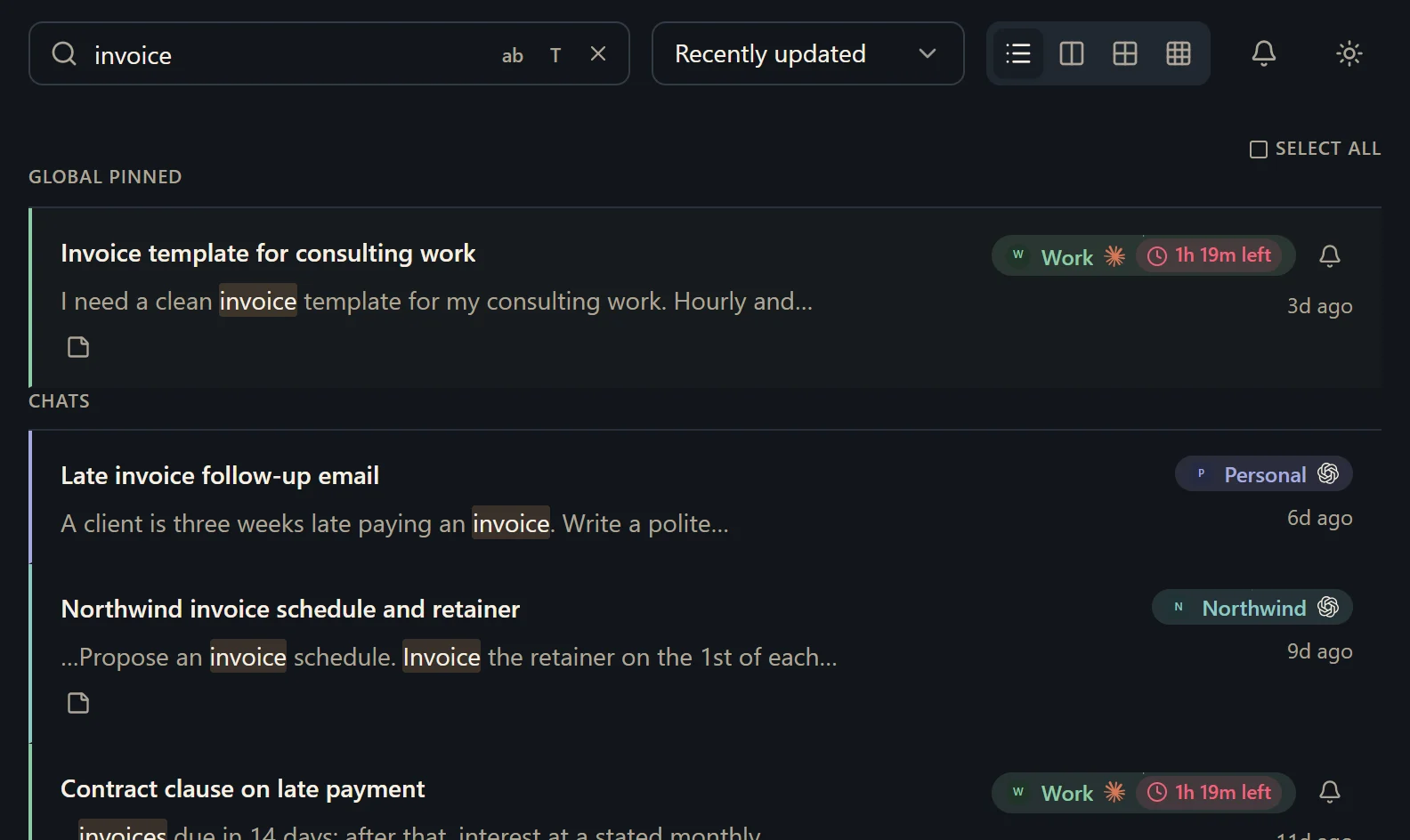
Nothing goes to a server of ours, because there isn't one: the chats sit in a database on your own computer, which you can read with any SQLite tool and export as Markdown whenever you like. Hubort only reads. It never sends, renames, archives or deletes anything in any of the four services.
What should I know before I try it?
It is Windows 10 and 11 only, for now. It is free for two sources. A source is one account on one provider, however many browsers it syncs from. Every install also starts with 14 days of everything, with no card. More accounts start at $4.99 a month, and the pricing page has yearly and buy-once prices.
Two things you should hear from us. The installer is not code-signed yet, so your browser and Windows will each warn you about it, and the download page says exactly what you will see. And Hubort reads each service's web app on a schedule, which may be inconsistent with that service's terms; the privacy policy has the full note, and you can lengthen the interval or untick a service at any time.
How do I try it?
Install the app, then add the extension to each browser you use AI in. The setup guide walks through every step, and the download page has both.