Can you search Claude chats across two accounts?
Not with Claude. Its chat search covers the account you are signed in to, and Anthropic's help page describes no search over a second one. Hubort is a Windows app that reads the chats of every Claude account you sync, on your own computer, and searches all of them at once. Every result shows which account it came from.
Anthropic's page was read on 6 October 2026.
Can I search Claude across my accounts?
No. What Claude's chat search covers is set out in Anthropic's help page, Use Claude's chat search and memory:
“Searching past chats is available to users on paid plans (Pro, Max, Team, and Enterprise plans) on the web, Claude Desktop, and Claude Mobile apps.”
“You can prompt Claude to search conversations within these boundaries: All chats outside of projects. Individual project conversations (searches are limited to within each specific project).”
The boundaries it names are projects, not accounts. The page describes no search over a second account. A search you ask for inside one account has that account's chats to look through, which is our reading of the page, not a sentence from it.
Why can't I find the Claude chat I want?
The usual case isn't a missing chat, it is the wrong account. Someone with a Team seat at work and a Pro account at home has two of everything, and the chat is in one of them.
- You are signed in to the other one. claude.ai opens as whichever account the browser holds, and nothing in a chat's absence says it is in your other account.
- Search is something you ask for, not a box. The page's way of using it is to ask Claude about your previous conversations, in a chat, in plain words. It reads as a request made inside whichever account you are in, so a second account is a second request, run by hand, in a second chat.
- It stops at the project's edge. The page says searches within a project are “limited to within each specific project”, and the other boundary is “All chats outside of projects”. A chat can be in a project of one account, or loose in the other.
What do people try instead, and why does each fall short?
Three things, and none of them gives you one search. Each does something useful; none of them makes two accounts searchable together.
- Signing out and in, and asking each Claude. It works, one account at a time, and it relies on you remembering which account to ask.
- One browser profile per account. It keeps the sign-ins apart, which is why Hubort asks for one extension per profile. The chats stay where they are, so on its own it is still one account at a time.
- Pasting the good chats into notes. It catches the chats you thought to save. The one you needed was never going to be one of them.
How does Hubort search Claude across accounts?
Hubort is two installs: a Windows app, where your chats live and where you search them, and an extension for each browser profile you use AI in. The extension reads your Claude chats with the session you are already signed in with in that browser and hands them to the app. You name each account (“Work”, “Home”), and one search box then covers all of them, each result in its own account's colour, next to your ChatGPT, Gemini and Grok chats if you sync those too. Two members of one Claude Team count as two accounts, because Hubort tells accounts apart by the person who is signed in, not by the Team.
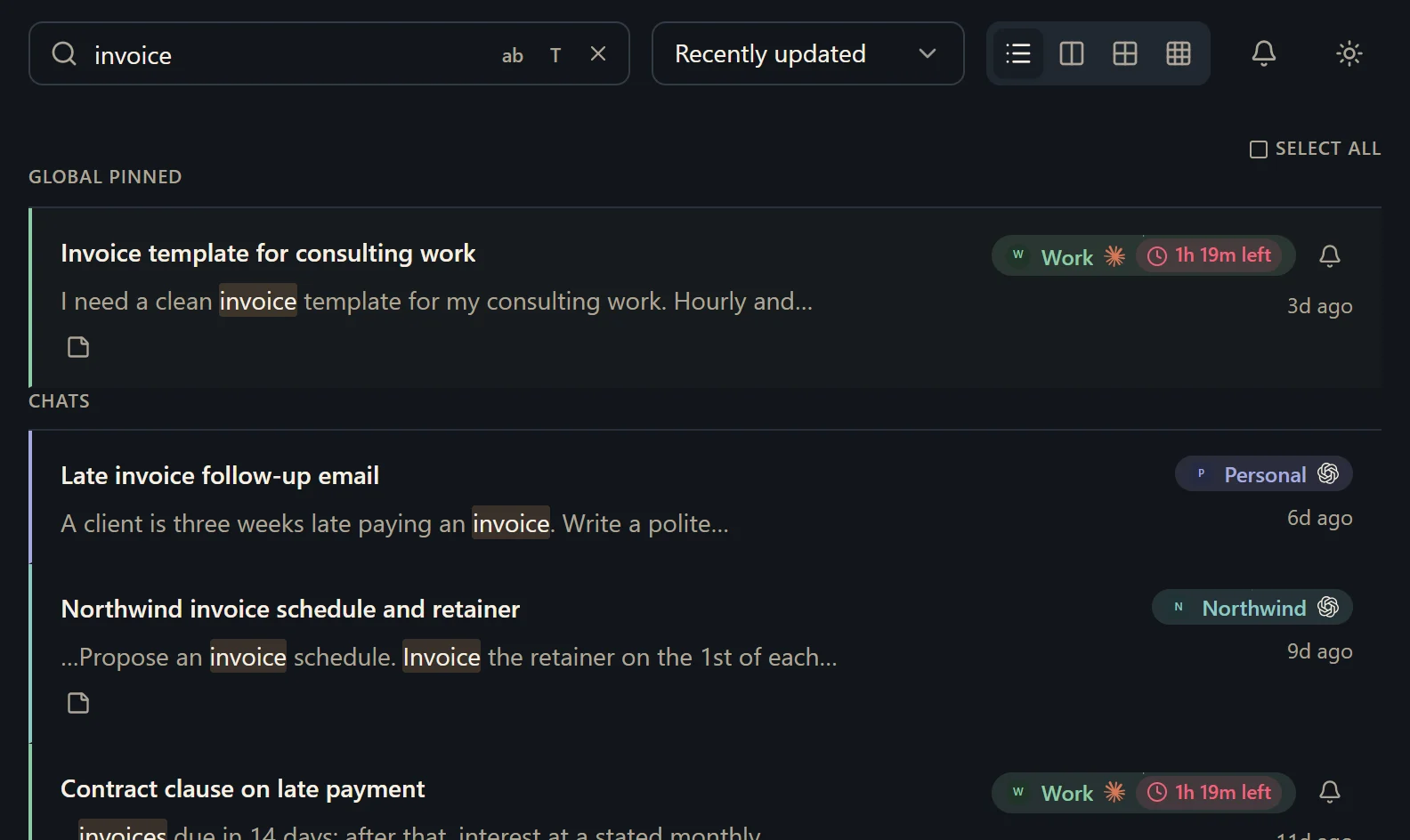
Nothing goes to a server of ours, because there isn't one: the chats sit in a database on your own computer, which you can read with any SQLite tool and export as Markdown whenever you like. Hubort only reads. It never sends, renames, archives or deletes anything in Claude.
What should I know before I try it?
It is Windows 10 and 11 only, for now. It is free for two sources. A source is one account on one provider, however many browsers it syncs from. So a work seat and a personal plan are two, and a third is a third. Every install also starts with 14 days of everything, with no card. More accounts start at $4.99 a month, and the pricing page has yearly and buy-once prices.
Hubort also reads each Claude account's usage and shows it as a badge beside the account, so you can see which one still has room.
Two things you should hear from us. The installer is not code-signed yet, so your browser and Windows will each warn you about it, and the download page says exactly what you will see. And Hubort reads each service's web app on a schedule, which may be inconsistent with that service's terms; the privacy policy has the full note, and you can lengthen the interval or untick a service at any time.
How do I try it?
Install the app, then add the extension to each browser you use Claude in. The setup guide walks through every step, and the download page has both.
The same question for other services: ChatGPT, Gemini and Grok.